

GOAT Safebox User Guide
GOAT Safebox is a BTC locking product built around timelocked UTXOs. You deposit BTC, receive a same-value timelocked UTXO back to your Bitcoin wallet, and earn yield during the lock period.
Product Snapshot
| Topic | Details |
|---|---|
| Lock duration | 90 days |
| Yield during lock | 1.5% BTC |
| Receiving model | Timelocked UTXO returned to the user wallet |
| BTC address type | Native SegWit (P2WPKH) only |
| Access model | Whitelist only |
Yield Context
GOAT Safebox is a yield-oriented BTC product for users who want fixed-term BTC-denominated returns without moving into a separate synthetic asset.
GOAT Safebox is the primary documented GOAT Network yield product today. As additional yield products are published, this section can expand into a broader yield hub.
| Product | Return model | Lock profile | Notes |
|---|---|---|---|
| GOAT Safebox | Fixed BTC-denominated yield | 90-day lock | Returns a timelocked UTXO to the user wallet after the lock period |
Before You Request an Order
Apply for whitelist access
Submit the Safebox access form.
Wait for account-manager confirmation
The team will contact you after the whitelist review.
Prepare the order details
Share the required locking information so the team can create the order in the contract.
| Required information | Description |
|---|---|
| Locking amount | Minimum 1 BTC per round; each split transfer must be at least 0.01 BTC |
| Receiving address | The BTC address that will spend the unlocked UTXO later |
| Public key | Must correspond to the receiving address and the same wallet that will spend the UTXO |
The receiving address must match the provided public key exactly, and only Native SegWit (P2WPKH) addresses are supported.
Use Safebox
Deposit BTC
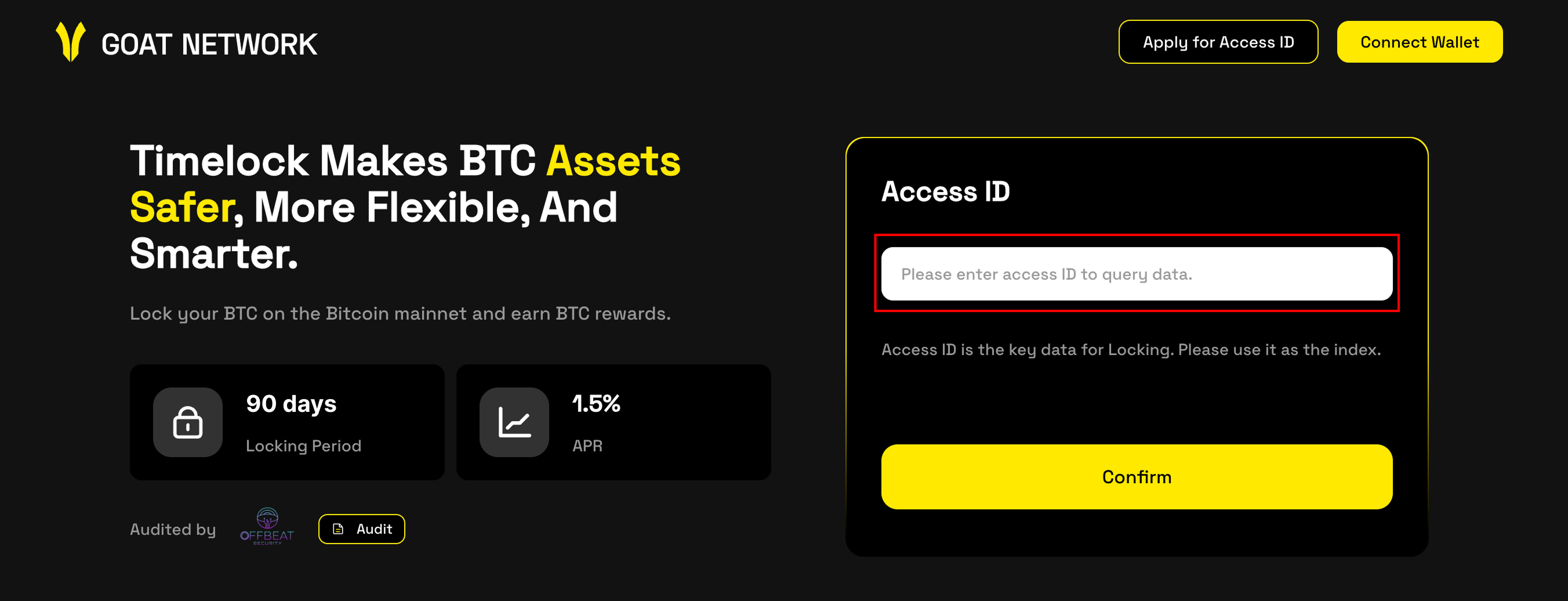
Review the order
Confirm that the amount and wallet details match the order shared by your account manager.
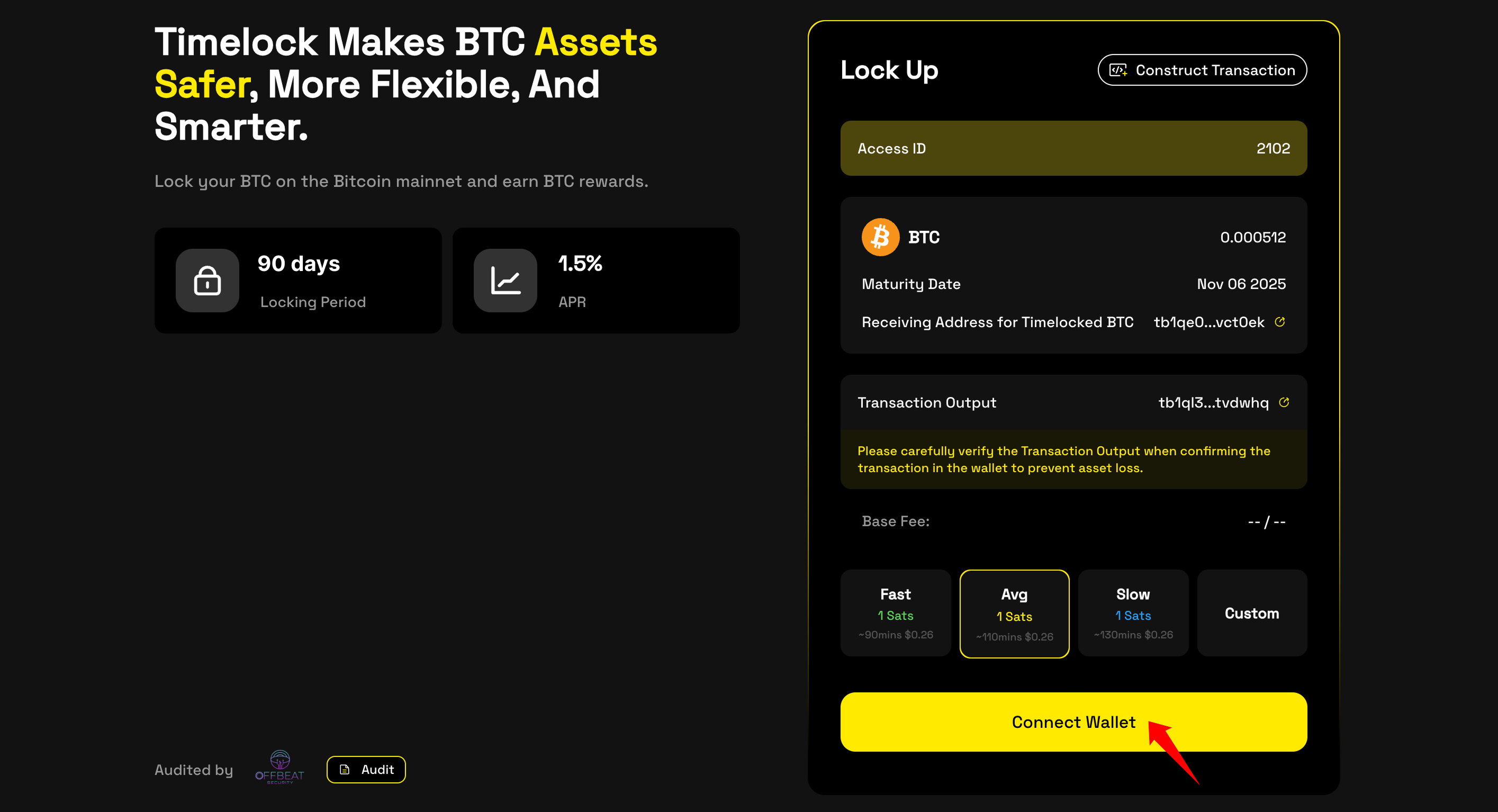
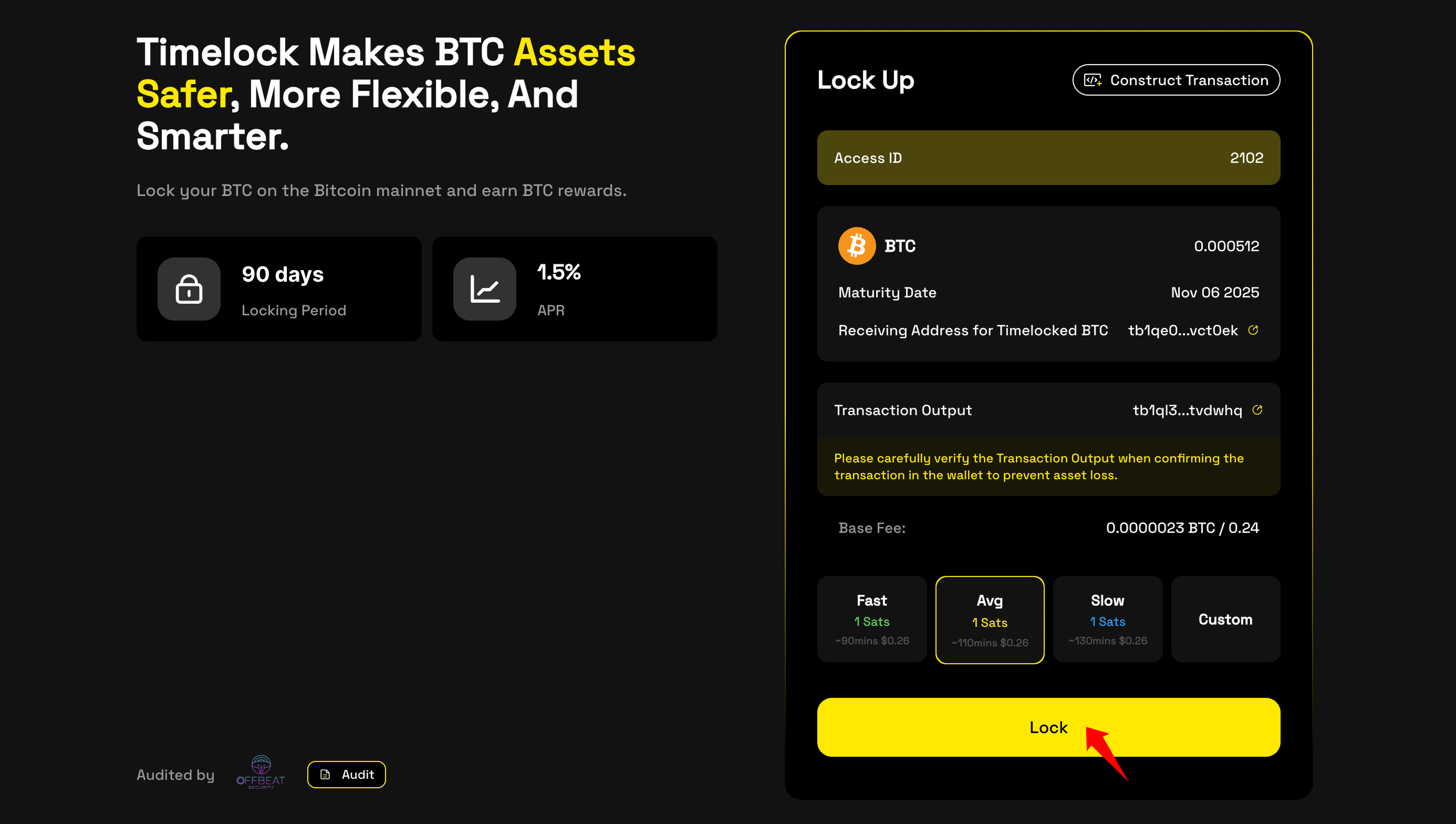
Lock the BTC
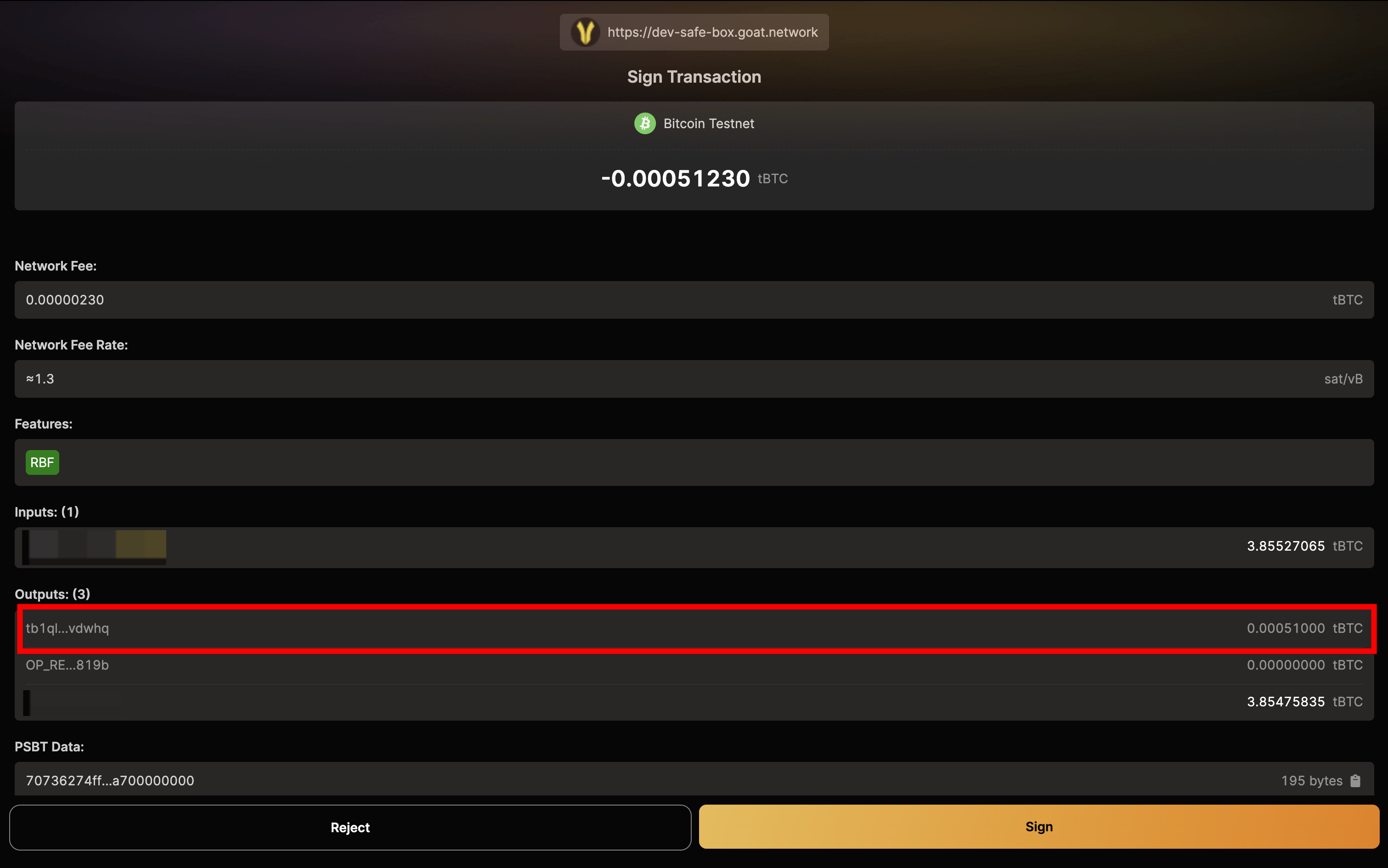
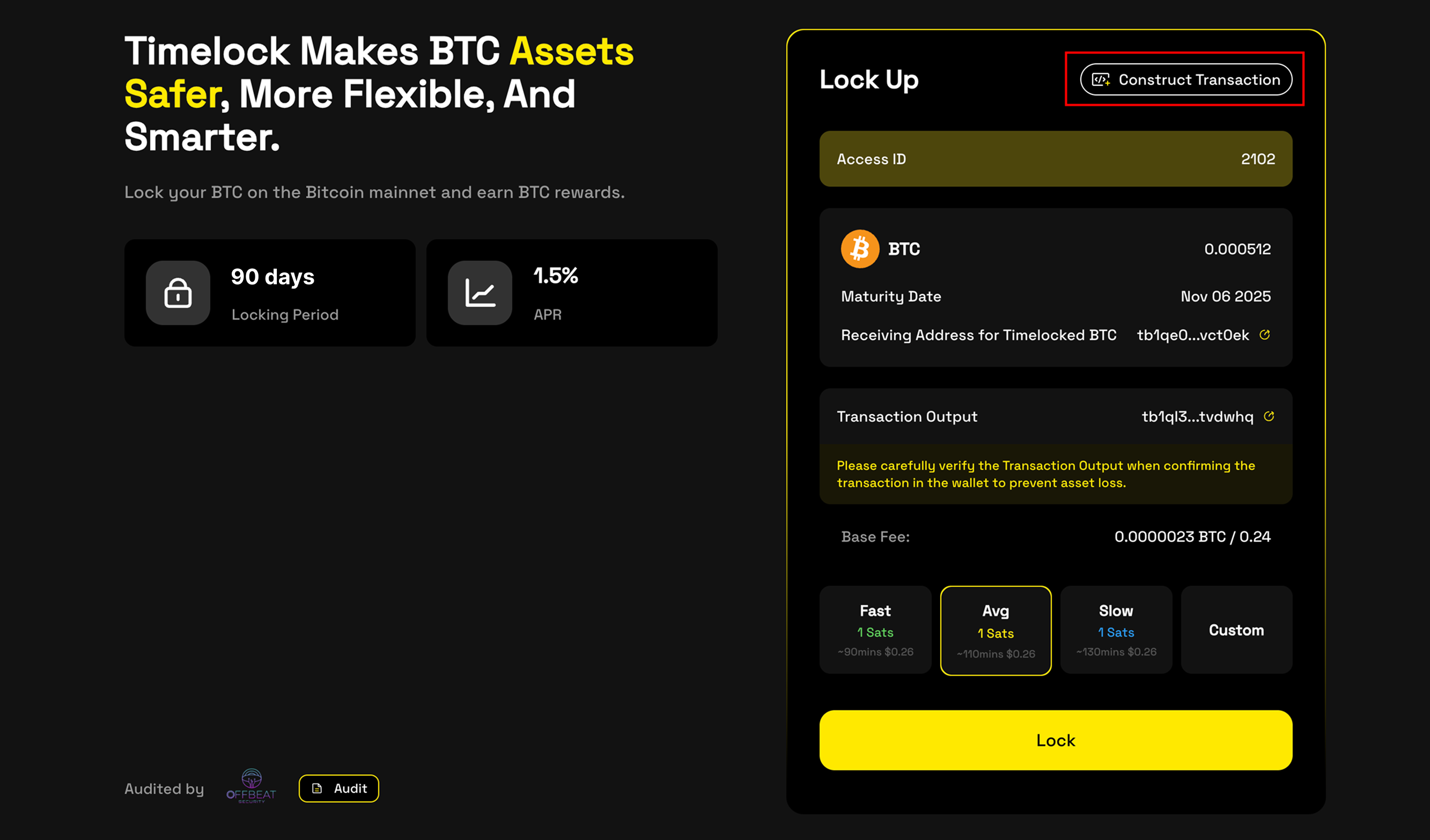
Click Lock, review the outputs in your wallet, and make sure the destination exactly matches the value supplied by your account manager.
Track confirmation
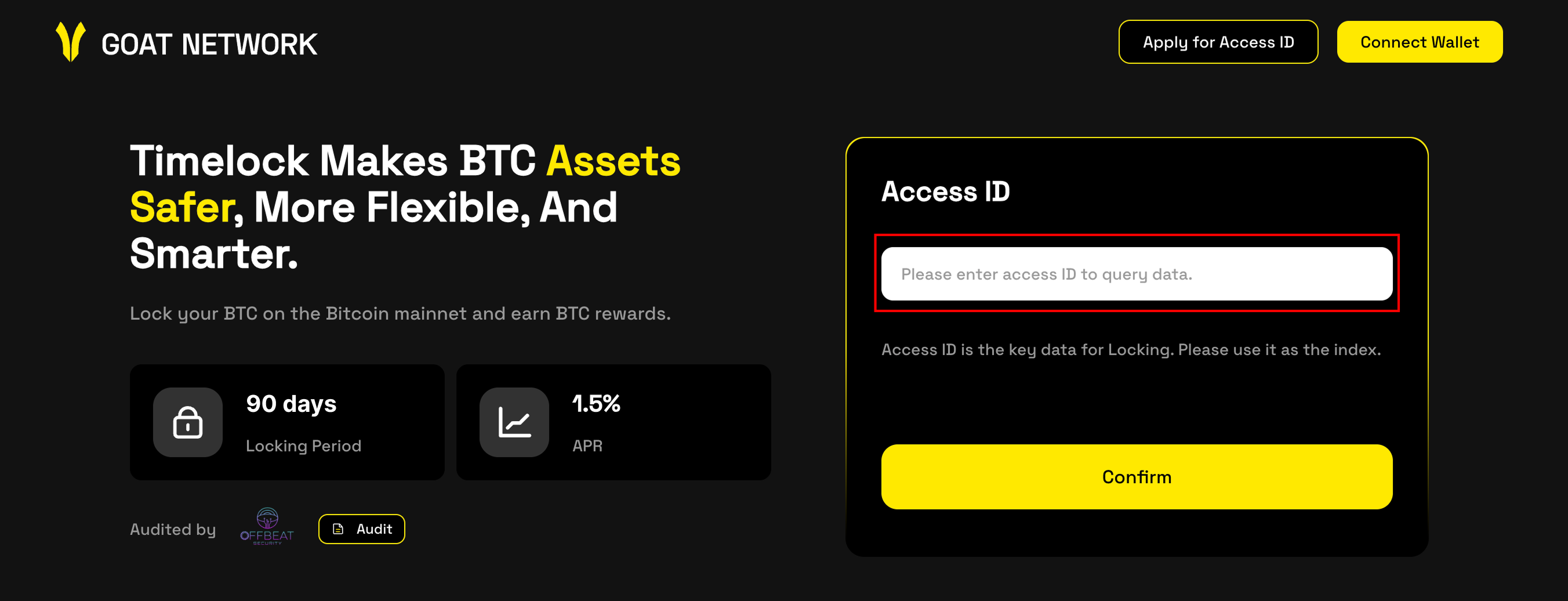
Return to the Safebox UI, open the explorer link, and wait for Bitcoin confirmation.
Verify the locking certificate
After confirmation, the matching timelocked UTXO and certificate should appear in the interface.
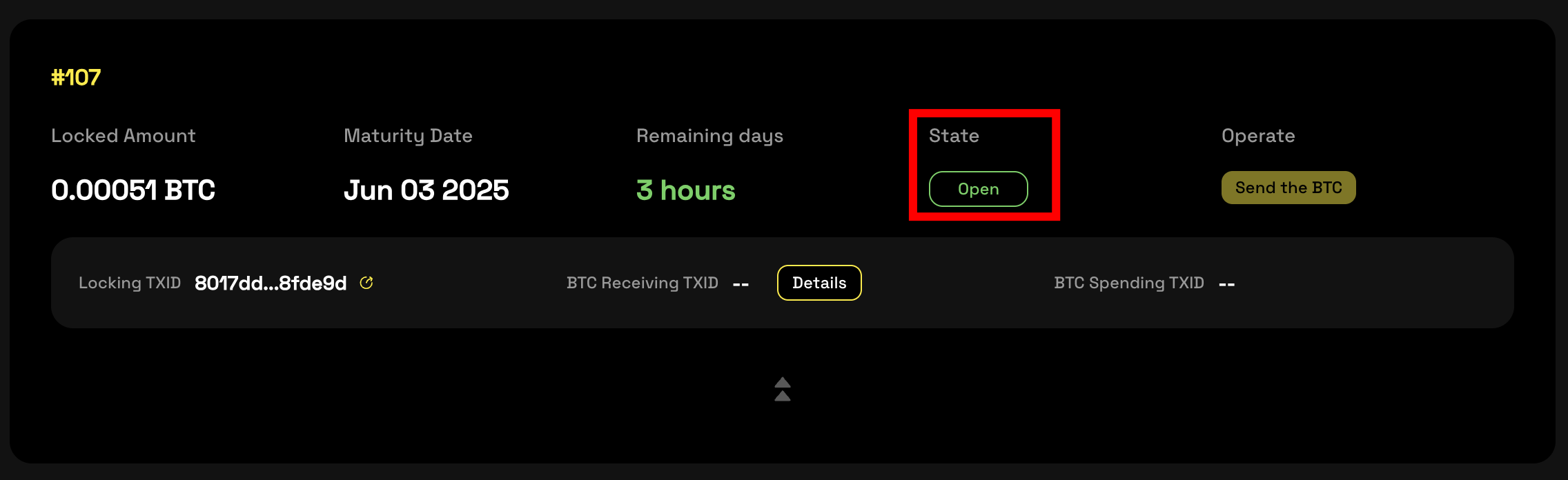
Spend the BTC after maturity
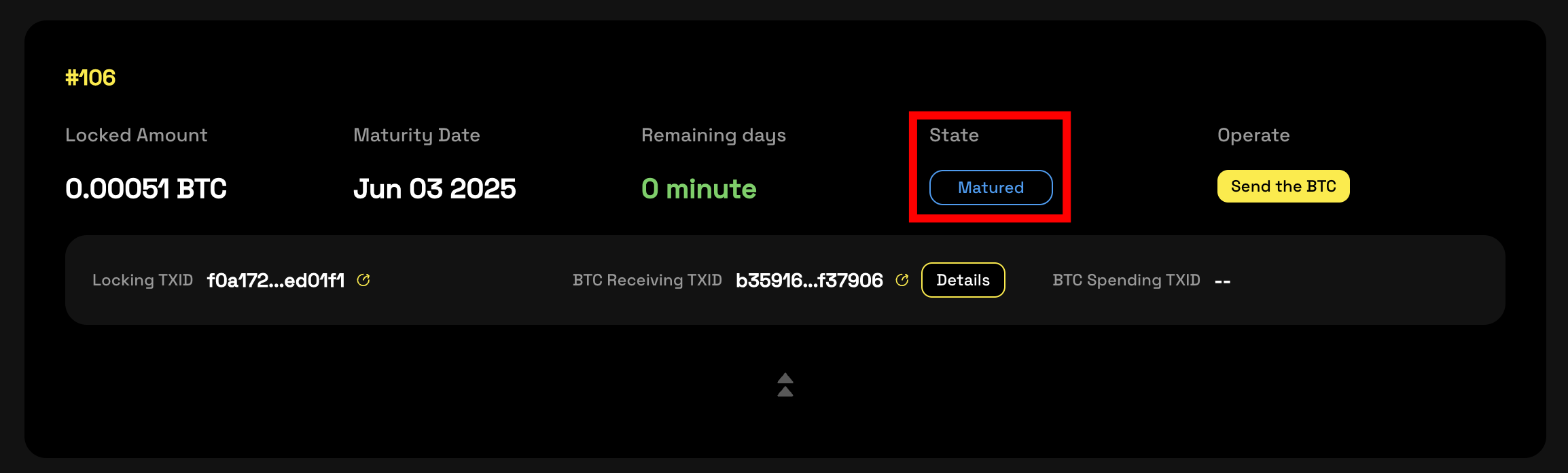
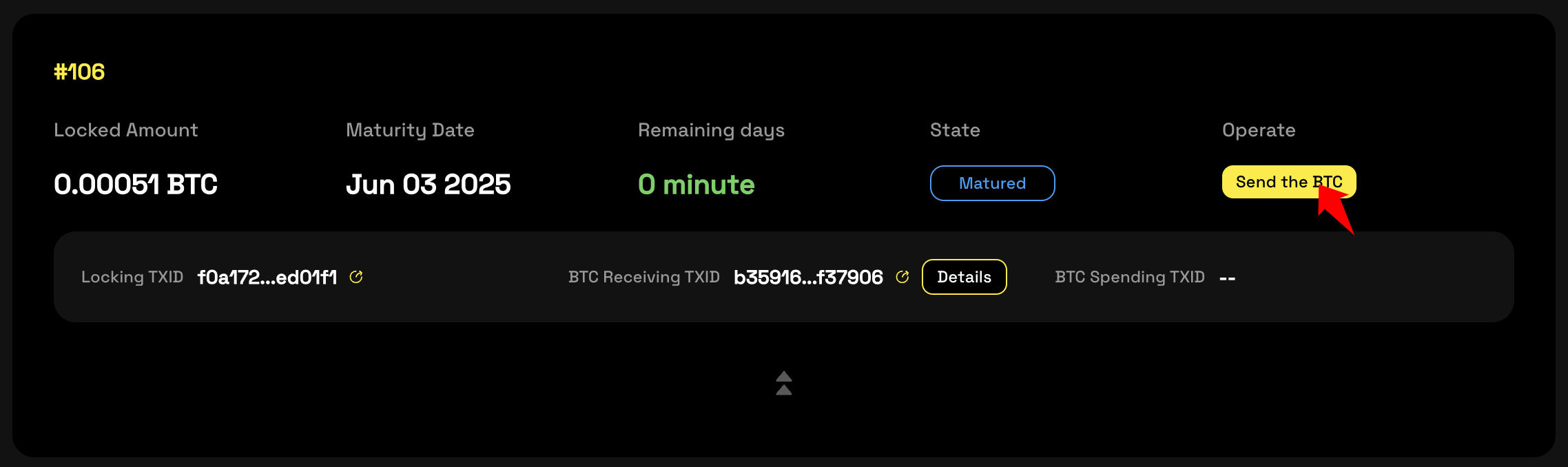
Verify the destination wallet
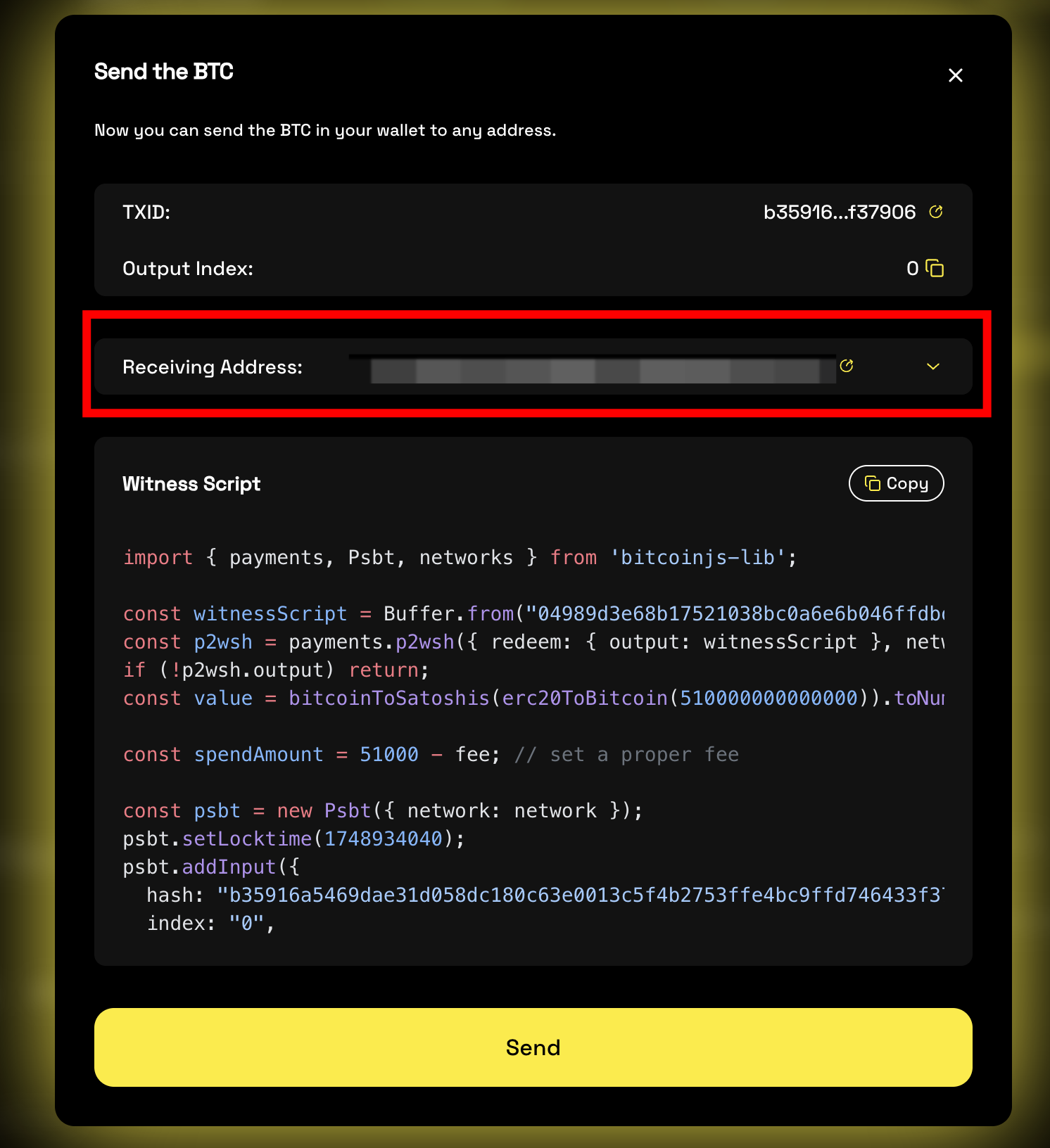
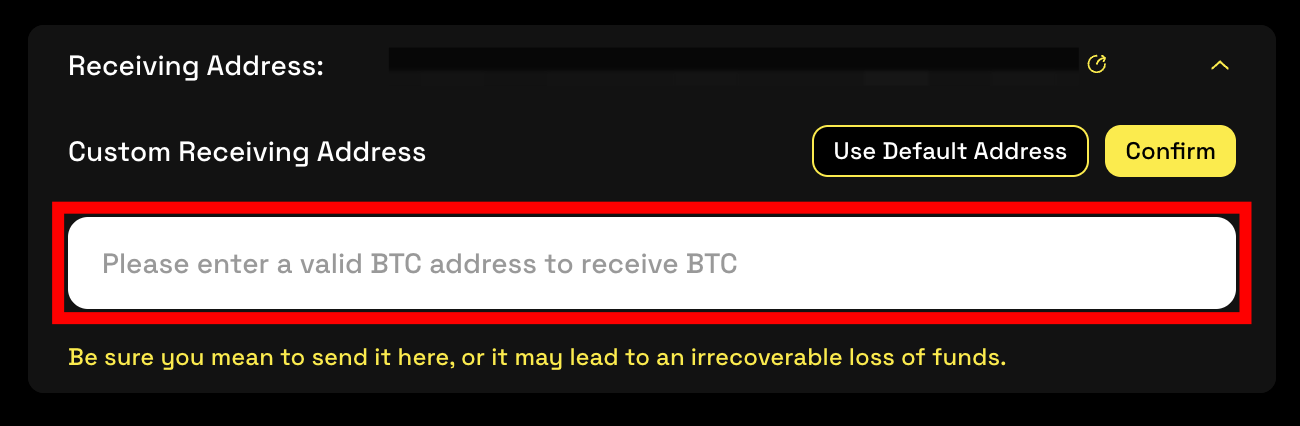
Confirm that the receiving wallet is correct. If you change the destination manually, verify it carefully before signing.
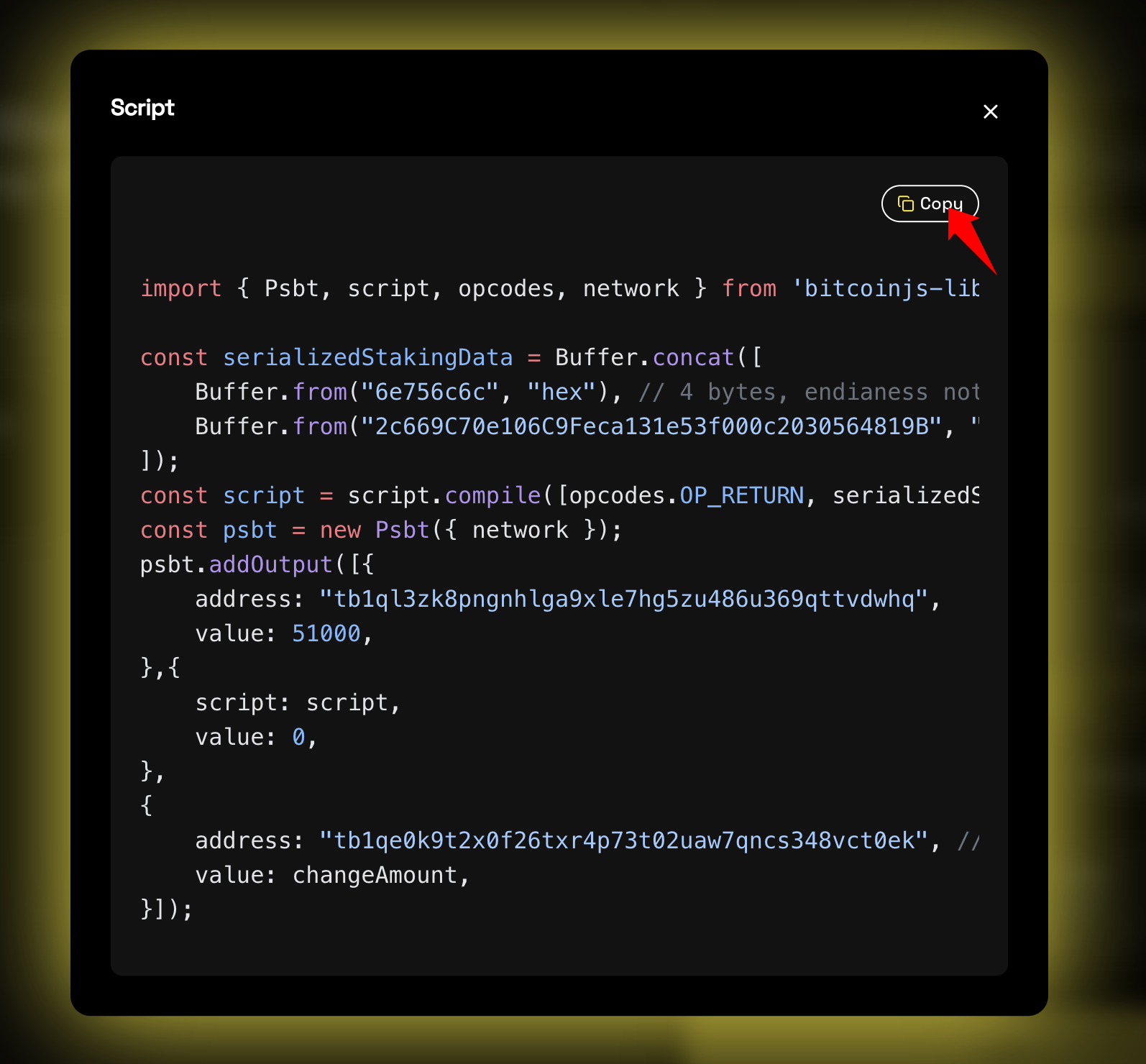
Deposit BTC with a local script
Copy and edit locally
Copy the script, make any required local adjustments, and keep the amount exactly equal to the order amount.
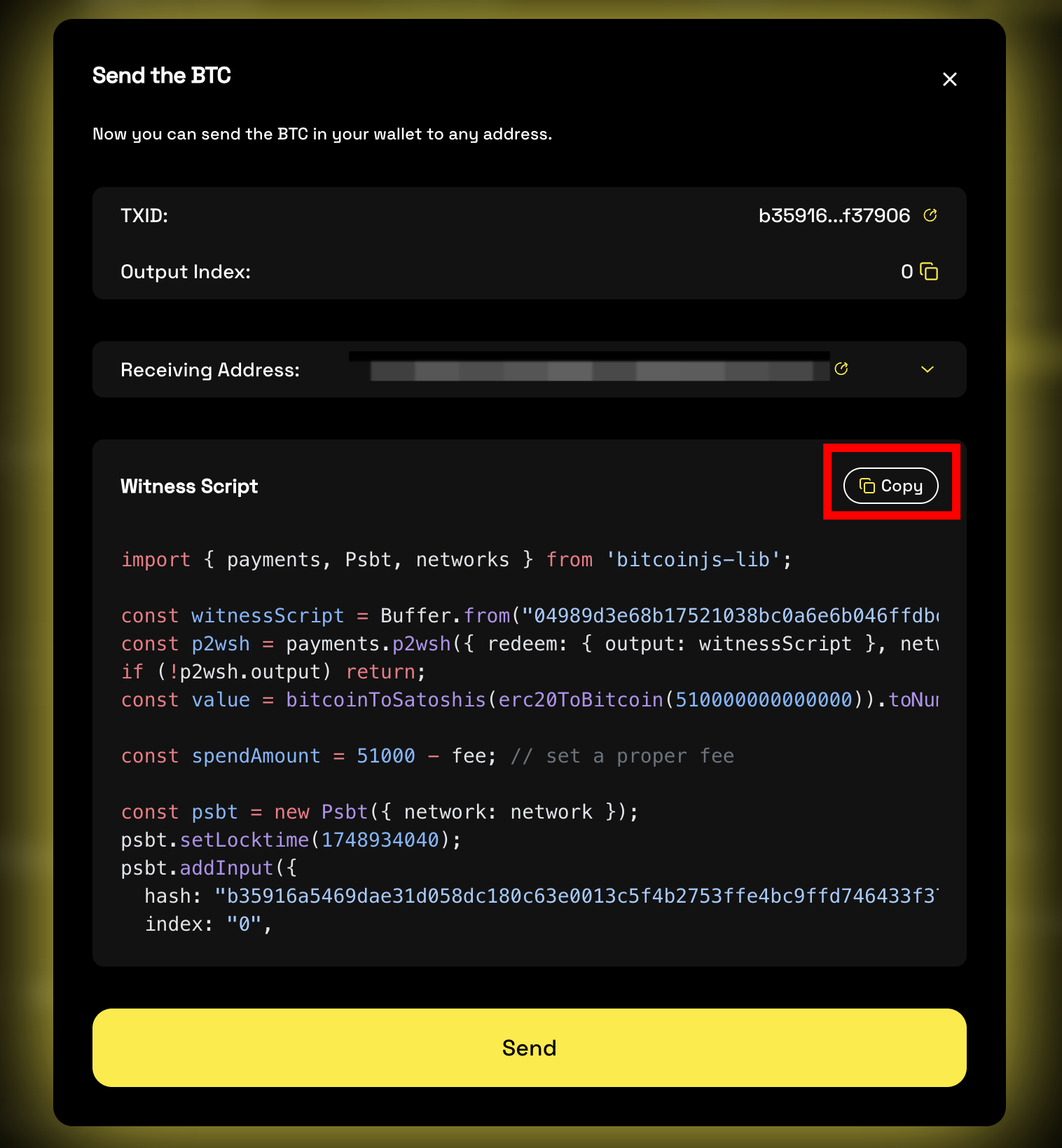
Spend BTC with a local script
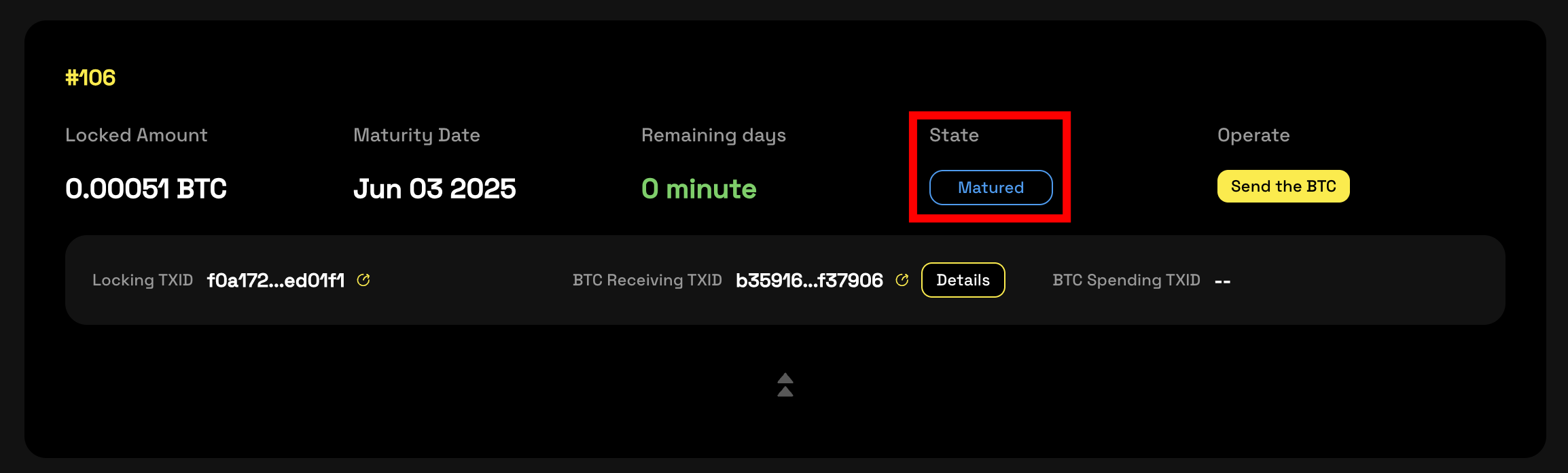
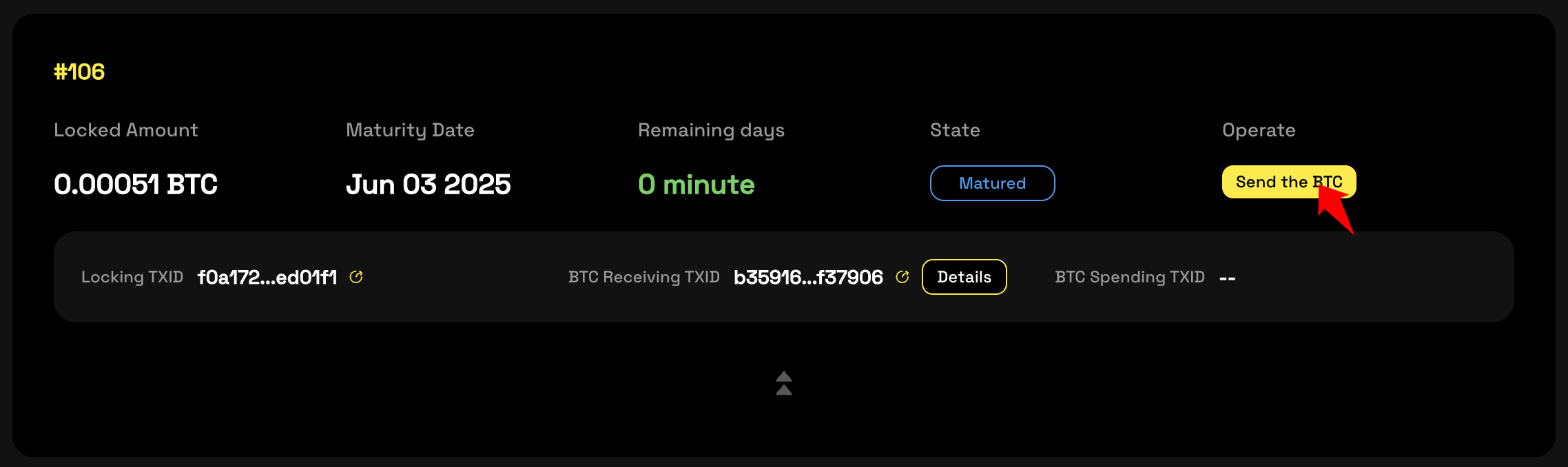
Inspect the UTXO details
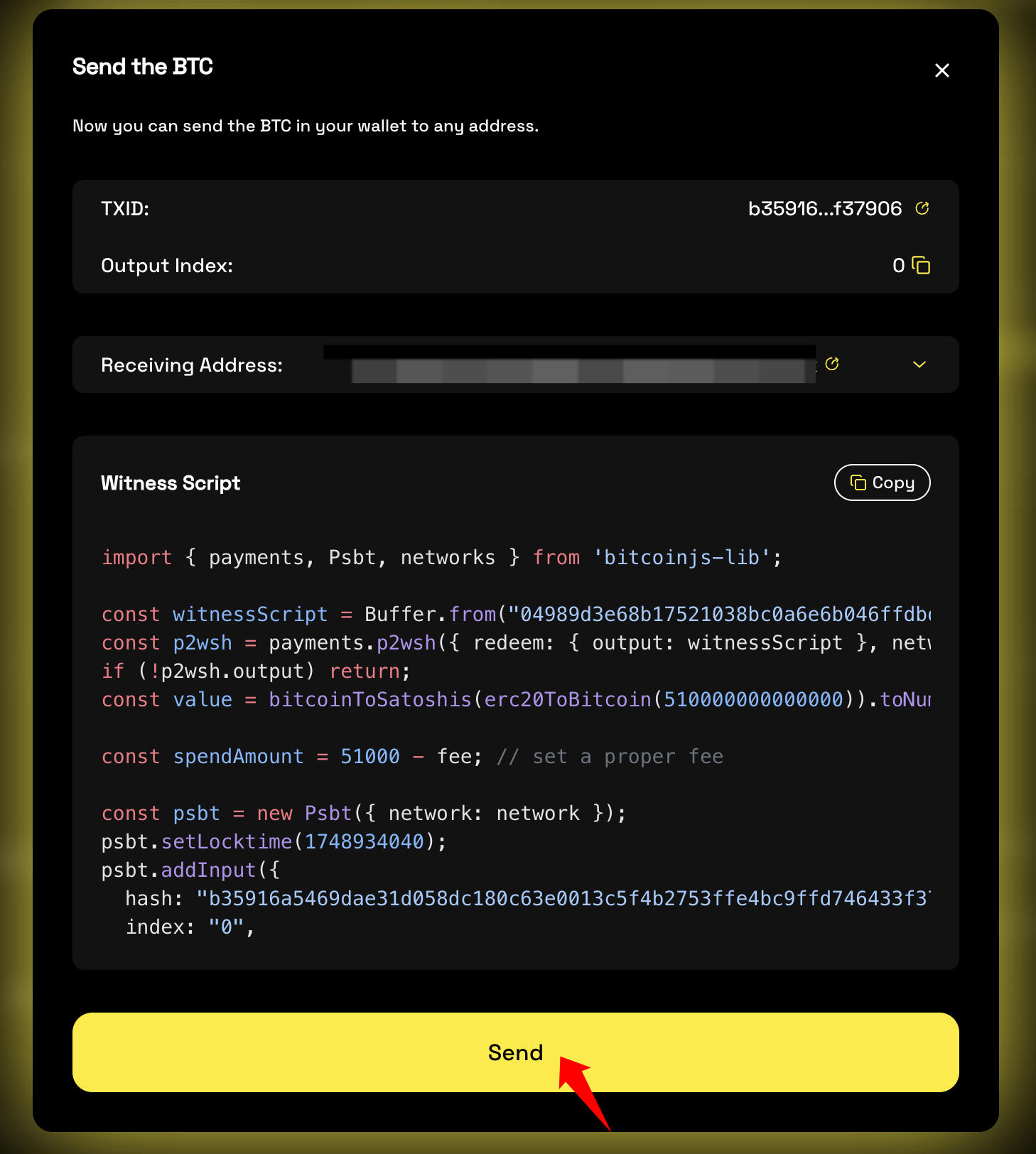
Review the displayed UTXO information and open the TXID in the explorer if needed.
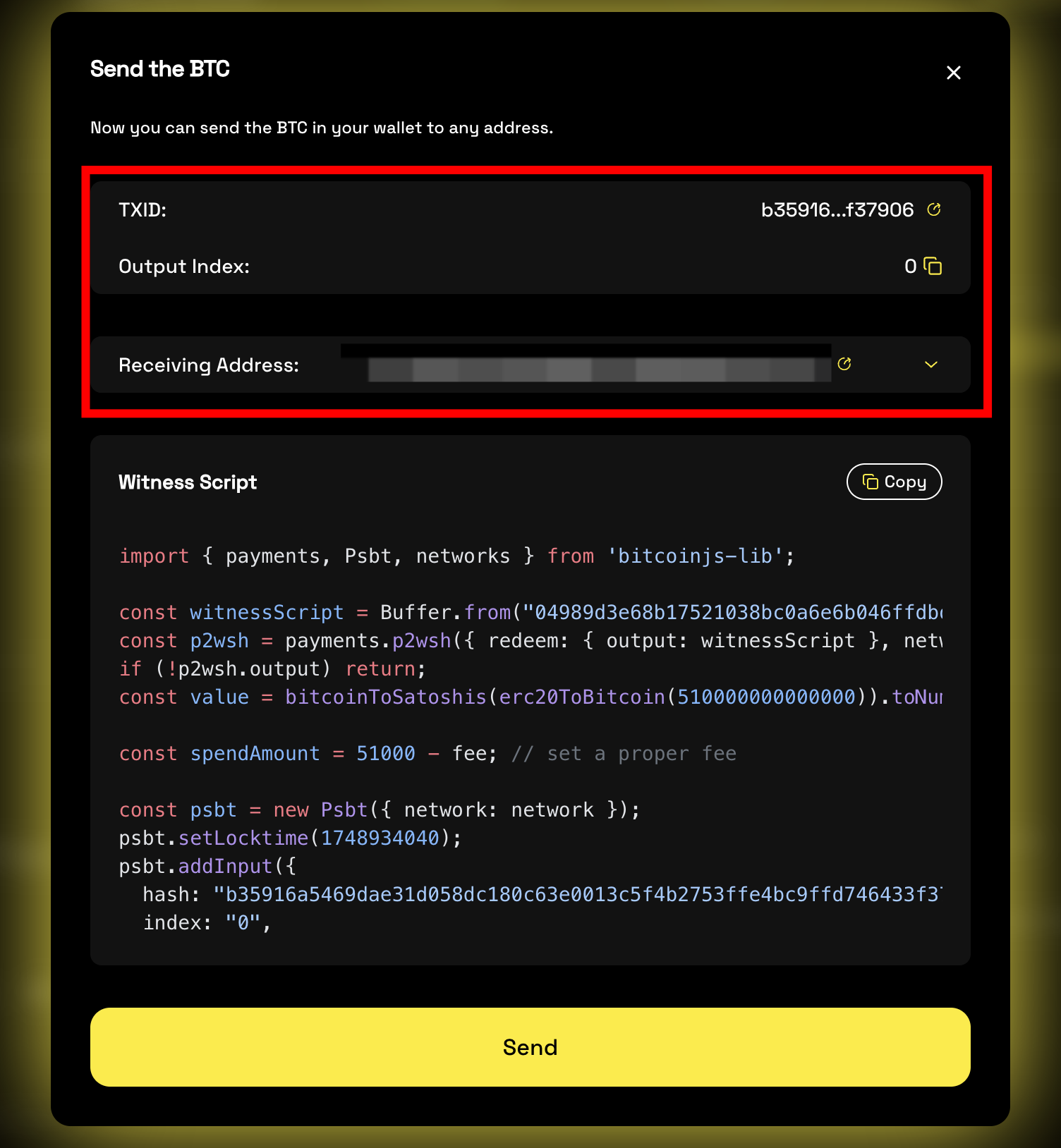
Copy and run the spend script
Copy the code, run it locally, and send the unlocked BTC back to your wallet.
Important Notes
Keep the Access ID private, do not resubmit a transfer that is still pending, and finish the initial lock within 48 hours or the order may expire and require manual support.
| Risk | Guidance |
|---|---|
| Order expires | Complete the initial transfer within 48 hours |
| Duplicate submission | Never resubmit a pending transfer |
| Missing record after 2+ hours | Check Bitcoin mainnet congestion and contact your account manager if needed |
| Wrong destination | Recheck the receiving address and matching public key before every signature |