

GOAT BitVM3 Testnet User Guide
GOAT BitVM3 Testnet enables trust-minimized BTC interoperability between Bitcoin and GOAT Network. Access the current testnet UI at bitvm3-testnet4.goat.network.
BitVM3 is a permissionless bridge design that combines presigned transactions, one-time signatures, and SNARK-based dispute resolution. GOAT BitVM3 extends the base model with faster reimbursement and stronger operator-accountability mechanisms.
This page documents the active GOAT BitVM3 testnet flows. References to GOAT testnet iterations such as "Testnet V3" refer to the testnet release cycle.
What This Guide Covers
| Area | Audience |
|---|---|
| Bridge in / bridge out | End users moving BTC between Bitcoin and GOAT Network |
| Peg-out | Operators participating in the protocol |
| Graph states | Users or operators monitoring dispute paths |
| Node setup | Operators, challengers, and watchtowers |
BitVM3 Bridge Guide
BitVM3 Bridge is the user-facing entry point for moving BTC through the BitVM3 flow.
Bridge In
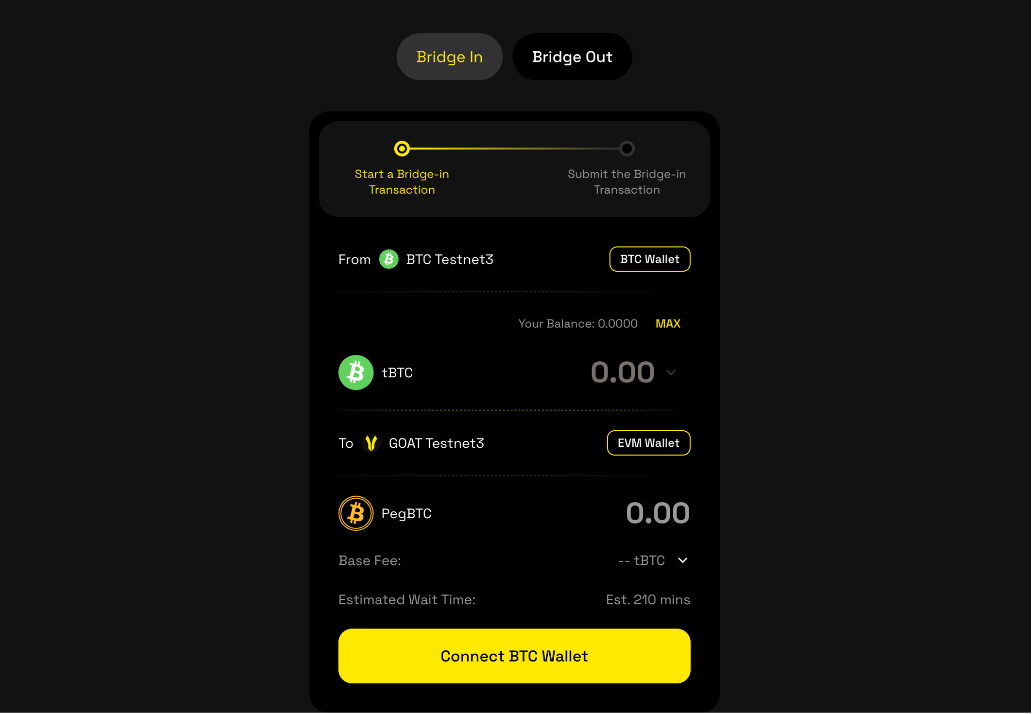
Connect both wallets
Connect your BTC wallet and your EVM wallet first.
Choose the amount and Bitcoin fee rate
The Bitcoin fee rate affects how quickly the source transaction confirms.
Wait for committee verification
Move to the next step, then refresh the status until the transaction becomes ready to submit.
Submit and sign
Click Submit, confirm the transaction in your wallet, and pay the required base fee.
Track confirmation
The transfer typically arrives in about 60 minutes, but Bitcoin congestion can extend the timeline.
Bridge Out
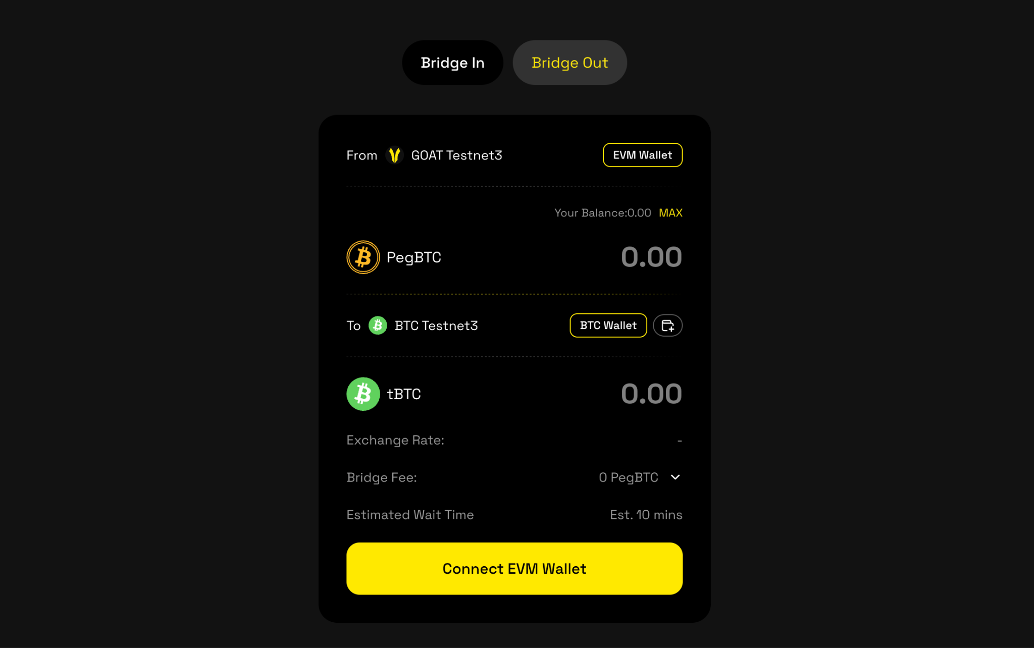
Connect the EVM and BTC wallets
Make sure the receiving BTC wallet is the one you intend to use for withdrawal.
Enter the amount
Confirm that it satisfies the minimum amount shown in the UI.
Review the transfer details
Double-check the amount, exchange rate, and bridge fee before continuing.
Submit within the valid window
Confirm the transaction in the wallet and pay the GOAT Network gas fee.
Monitor the arrival
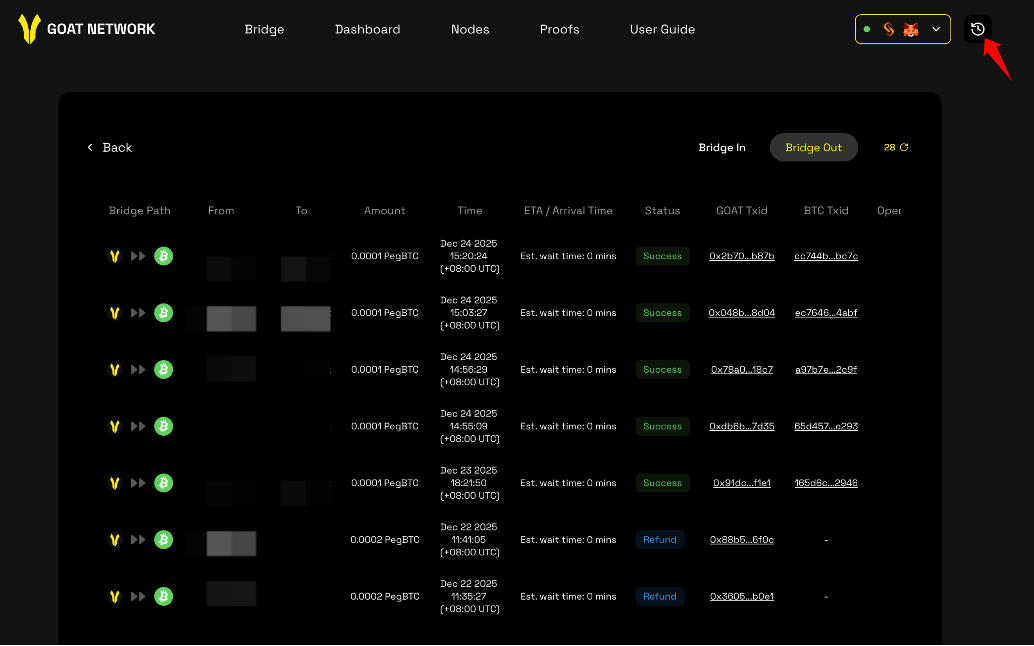
Use the history page to follow progress until the BTC lands in the receiving wallet.
History
Every bridge-in and bridge-out transfer appears in the history view for status tracking.
BitVM3 Peg-out Guide
Peg-out is an operator-oriented flow that redeems PegBTC back to native BTC.
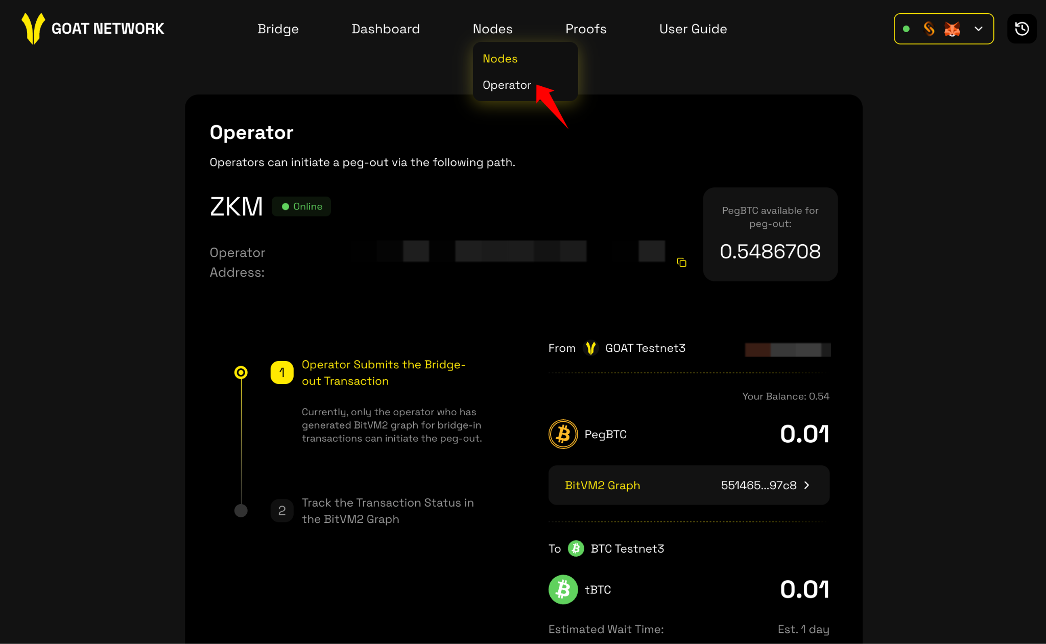
Connect the EVM wallet
The UI automatically shows the peg-out instances available to the connected operator.
Approve PegBTC
Click Approve and approve the maximum amount you intend to use for the operation.
Submit the peg-out
Return to the UI, click Submit, sign the transaction, and pay the gas fee.
Track the graph
Use BitVM3 Graph and peg-out history to follow reimbursement progress and dispute state.
Verify settlement
When the peg-out completes successfully, the BTC appears in the destination wallet.
BitVM3 Graph States
The BitVM3 graph explains how deposits, challenges, and reimbursements evolve on-chain.
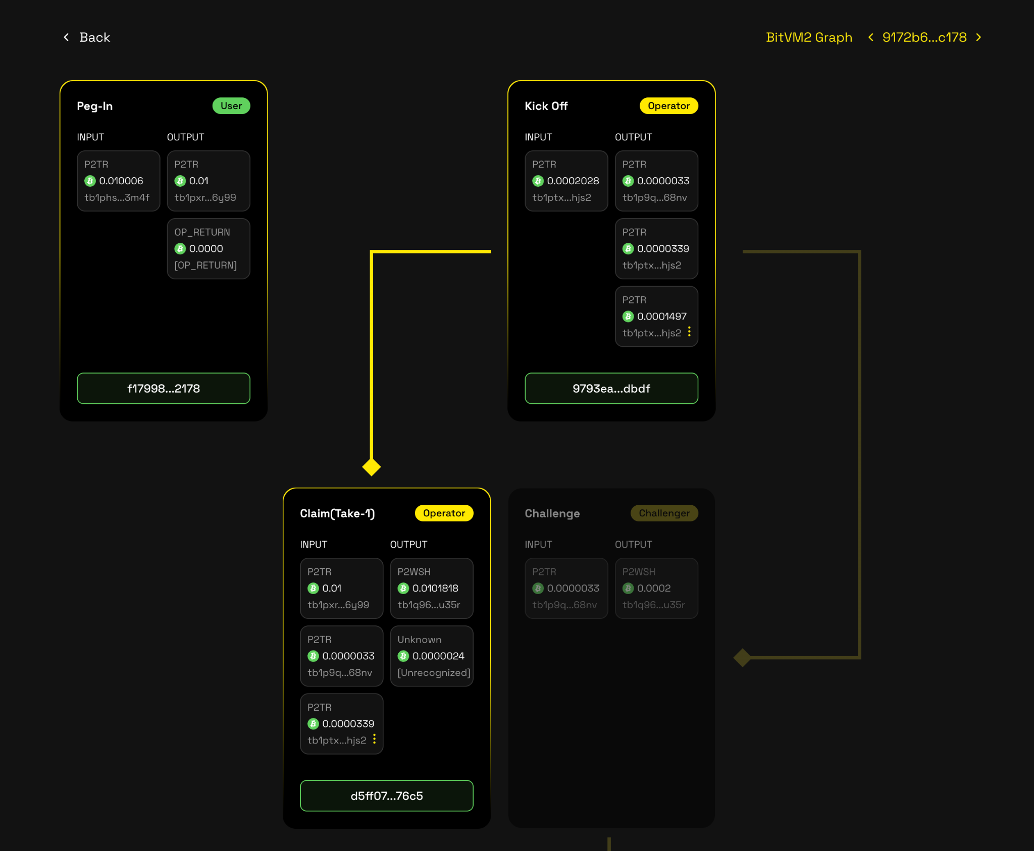
| Case | Status | Meaning |
|---|---|---|
| Initial state | Pending peg-out / active deposits | Funds are locked and no operator has started reimbursement yet |
| Standard path | Withdrawal completed (Take-1) | No valid challenge was raised during the first time-lock |
| Challenge succeeds | Withdrawal intercepted (Disprove) | Operator misconduct was proven and collateral was slashed |
| Challenge fails | Withdrawal finalized (Take-2) | Operator defended the withdrawal and completed reimbursement |
Join GOAT BitVM3 Testnet
Role Requirements
| Role | Requirements |
|---|---|
| Watchtower | Committee-approved role, enough L1 balance for roughly 4,000 sats per challenge |
| Verifier | Permissioned role, enough balance for bond and transaction fees |
| Operator | Permissionless role, must prepay graph fees on L1 and stake PBTC on L2 |
Operator funding and staking requirements
| Layer | Requirement |
|---|---|
| Bitcoin L1 | Prepay roughly 10,000 sats per graph and keep at least 50,000 sats available at startup |
| GOAT Network L2 | Stake WGBTC; the effective minimum locked stake is 0.06 WGBTC |
| Contract | Address |
|---|---|
| Testnet Gateway | 0x440c6dCA87C3511E1eBf4FDB1f584ddaA49dD029 |
| Testnet StakeManagement | 0x4B6BD356FE9Ad077c6E3691BB2838e814B3F4032 |
| Testnet WGBTC | 0xbC10000000000000000000000000000000000000 |
Staking flow
A compressed public key is 33 bytes and usually starts with 02 or 03. The x-only public key is the 32-byte suffix after removing that prefix.
Verifier registration
Verifier registration uses the node's libp2p PEER_ID, not its Bitcoin public key.
- Complete the installation, then run
bitvm-noded key peeras described in Generate Peer Key. - Keep
PEER_KEYprivate and use it in the Verifier.env. Submit only the publicPEER_IDto the official governance or contract administrator. - Wait for the administrator to add the
PEER_IDto theCommitteeManagementVerifier allowlist. - Before starting the node, confirm that
isVerifier(bytes peerId)returnstrue. The node must use the samePEER_KEYthat generated the registeredPEER_ID.
Run a BitVM3 Node
Recommended Machine Configuration
| Role | CPU | RAM | Disk |
|---|---|---|---|
| Operator | 8 vCPU (min) | 16 GiB (min) | 500 GB |
| Verifier | 8 vCPU (min) | 16 GiB (min) | 500 GB |
RAM is dominated by fixed costs rather than batch_size — at batch_size=100 this peaks at ~15.26 GiB; larger batch sizes need slightly more RAM, while more vCPUs mainly increase throughput. After peg-in, Verifier storage needs drop to ~26 KB; Operator retains ~6.4 GiB until peg-out.
Example AWS c7a instances sized for this workload:
| Instance | vCPUs | RAM | Effective batch_size | Peak RAM |
|---|---|---|---|---|
c7a.2xlarge | 8 | 16 GiB | 8 | 11.63 GiB |
c7a.4xlarge | 16 | 32 GiB | 16 | 11.80 GiB |
c7a.8xlarge | 32 | 64 GiB | 32 | 12.59 GiB |
c7a.16xlarge | 64 | 128 GiB | 64 | 13.57 GiB |
c7a.32xlarge | 128 | 256 GiB | 100 | 15.26 GiB |
Installation
Ensure the ZKM toolchain is installed. See ProjectZKM/toolchain, then confirm ~/.zkm-toolchain/env exists.
Download a release from bitvm-noded releases and verify the version after installation.
After the installation, run the bitvm-noded --version to check that the version should be 0.4.0.
Generate Peer Key
Generate one peer key per node:
Use PEER_KEY in the node .env.
Prepare GC Artifacts
Operator and Verifier nodes must have the GC artifacts on disk before running C&C. Point the runtime to those files with:
Funding Address
Set BITVM_SECRET to your hex-format private key, then deposit tBTC4 (Bitcoin Testnet4) to the generated P2WSH address:
Operator Node Deployment
Create an Operator .env:
Start the Operator:
Verifier Node Deployment
Create a Verifier .env:
Start the Verifier:
Operate with Agent Skills
If you prefer an agent-driven workflow, the BitVM3 node repository also publishes operation documents for common tasks.
| Agent skill | Purpose | Command document |
|---|---|---|
/run-operator-node | Start an operator node | run-operator-node.md |
/pegin-request | Request, prepare, or cancel a peg-in | pegin-request.md |
/pegout | Initiate peg-out as an operator | pegout.md |
/bridge-out | Initiate bridge-out flow | bridge-out.md |
/challenge | Broadcast a challenge transaction | challenge.md |