

Quick Start Guide
This page covers the fastest path to start using GOAT Network: add the network, prepare BTC for gas, and verify the fee settings before interacting with apps.
What You Need
| Requirement | Details |
|---|---|
| Wallet | Any EVM-compatible wallet such as MetaMask, OKX Wallet, Bitget Wallet, Coinbase Wallet, OneKey, or WalletConnect |
| Native gas token | BTC |
| Recommended first action | Bridge a small amount of BTC to GOAT Network for gas |
| Explorer | GOAT Explorer |
| Bridge | GOAT Bridge |
Connect to GOAT Network
Use the automatic button if your wallet supports it. Otherwise, add the network manually.
If your wallet supports chain switching from the browser, this is the fastest setup path.
Manual network parameters
| Parameter | Value |
|---|---|
| Network Name | GOAT Network |
| RPC URL | https://rpc.goat.network |
| Chain ID | 2345 |
| Currency Symbol | BTC |
| Block Explorer | https://explorer.goat.network |
| Bridge | https://bridge.goat.network |
Get BTC for Gas
GOAT Network uses BTC as the native gas token. Only BTC bridged from Bitcoin Layer 1 can pay gas on GOAT Network.
| Method | Notes |
|---|---|
| Bridge BTC from Bitcoin Layer 1 | Recommended for reliable gas funding |
| Bridge eligible assets through supported routes | Some campaigns may distribute BTC gas support when you bridge sufficient value |
| Use the official bridge docs | See the Bridge Guide for the supported routes and wallet flows |
BTCB cannot be used as gas on GOAT Network. If you need gas, bridge native BTC from Bitcoin Layer 1.
Recommended Gas Settings
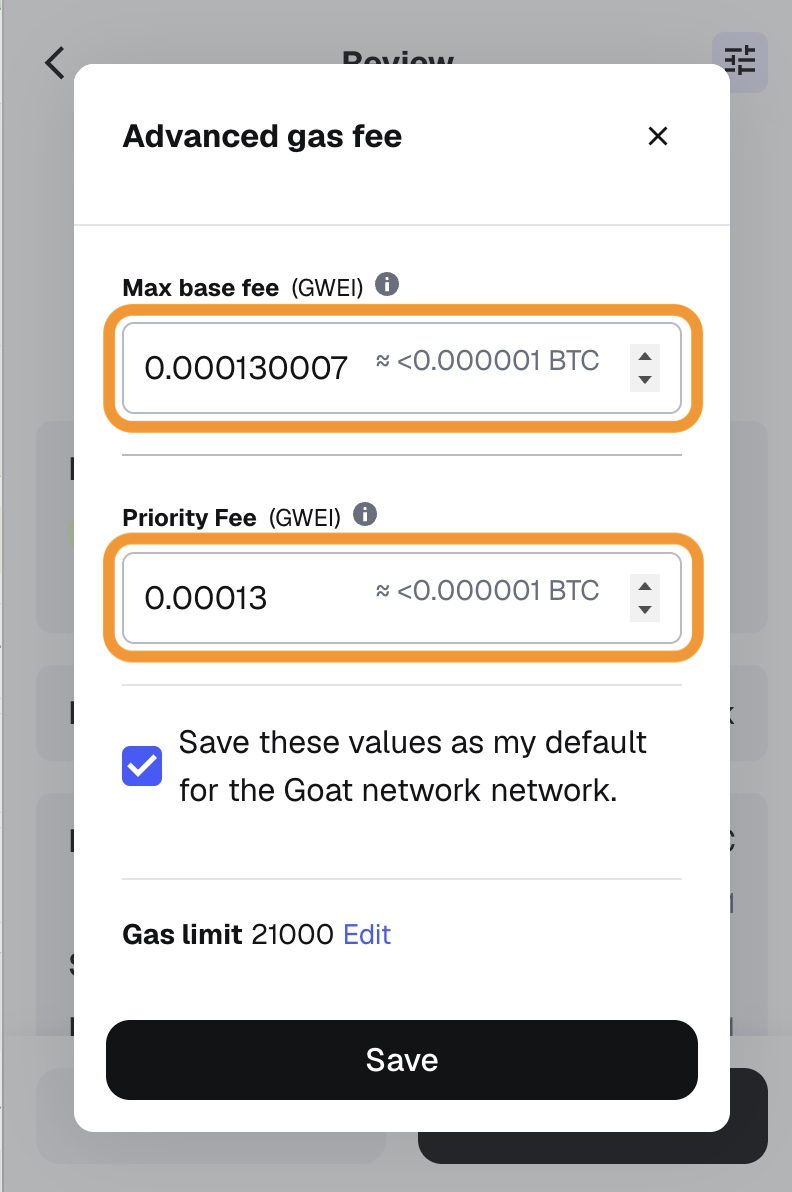
These values are useful when your wallet exposes advanced EIP-1559 controls and you want to avoid unnecessary overpayment.
| Setting | Recommended value |
|---|---|
| Max Base Fee | 0.000130007 Gwei |
| Base Fee | 0.000000007 Gwei |
| Priority Fee | 0.00013 Gwei |
Open the gas editor
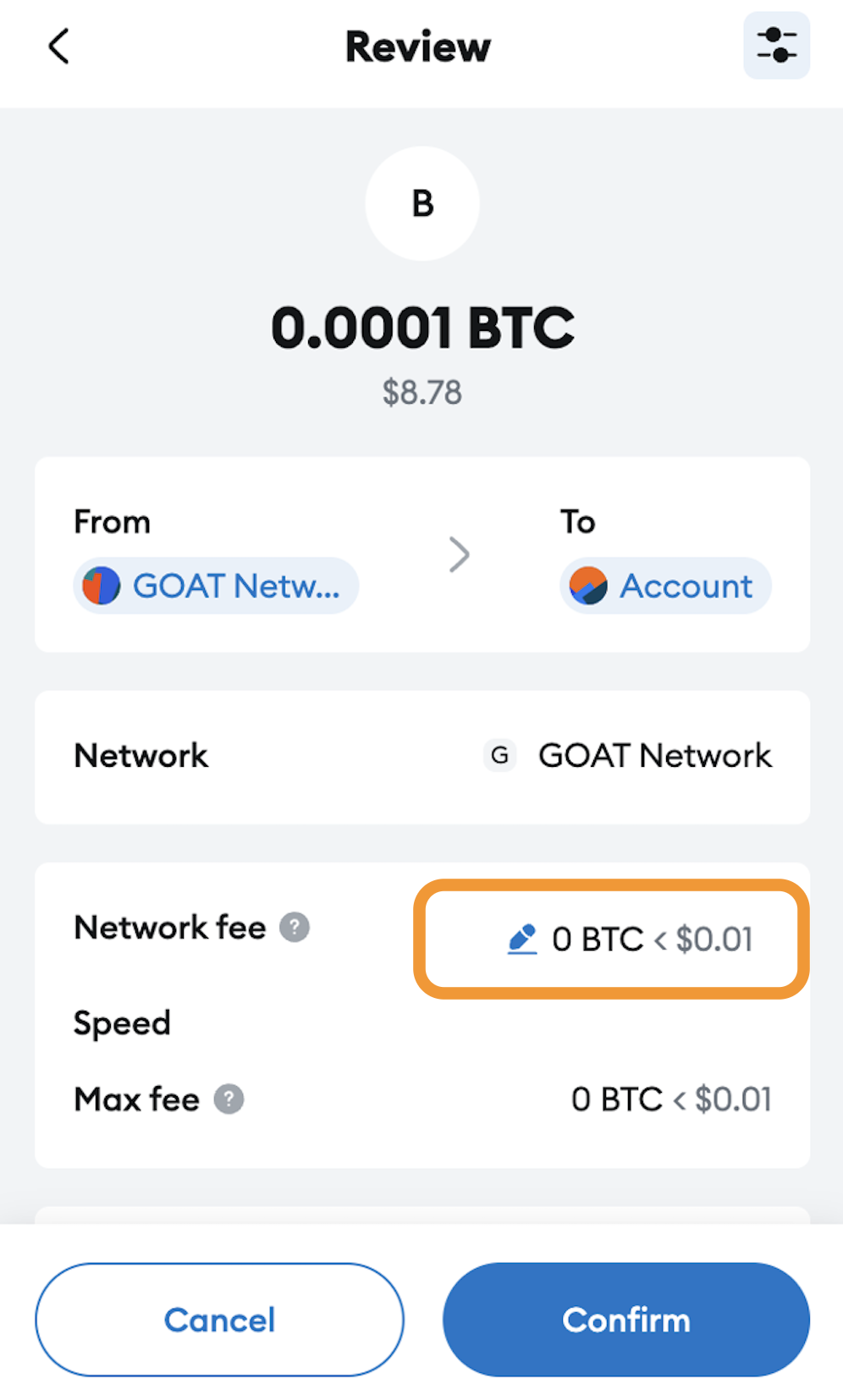
On the wallet confirmation screen, locate the network fee field and choose the option to edit it.
Switch to the advanced view
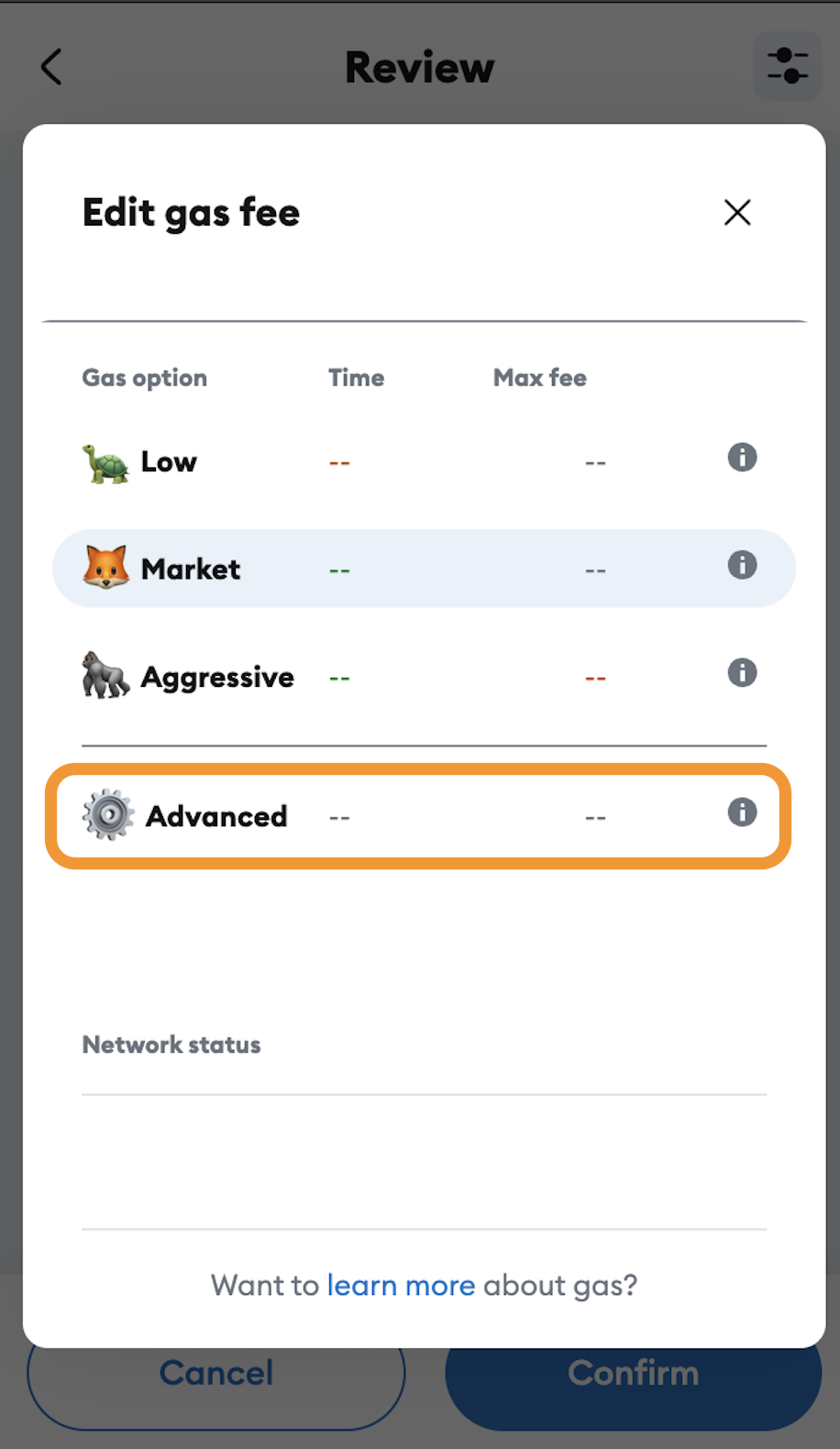
In MetaMask this is the Advanced tab. Other wallets may use a different label.
Save the defaults for GOAT Network
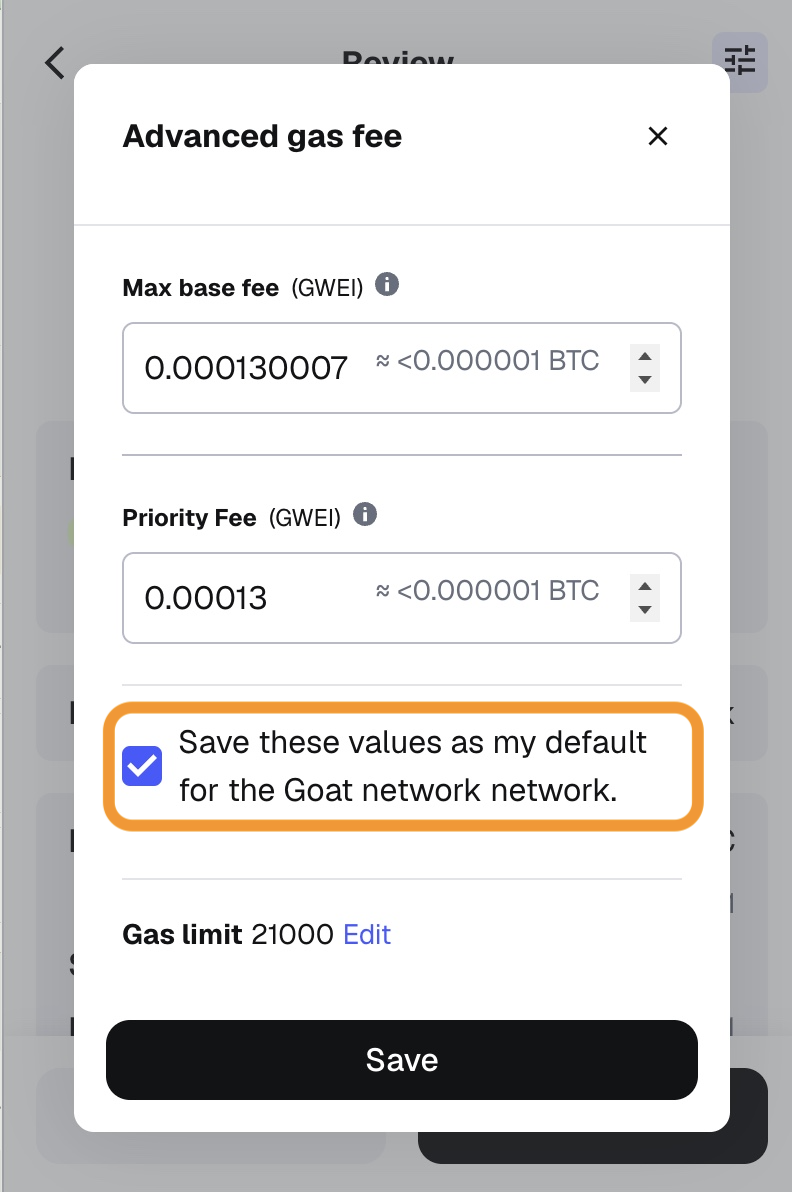
Enable the wallet option that stores the values as the default for GOAT Network if your wallet offers it.
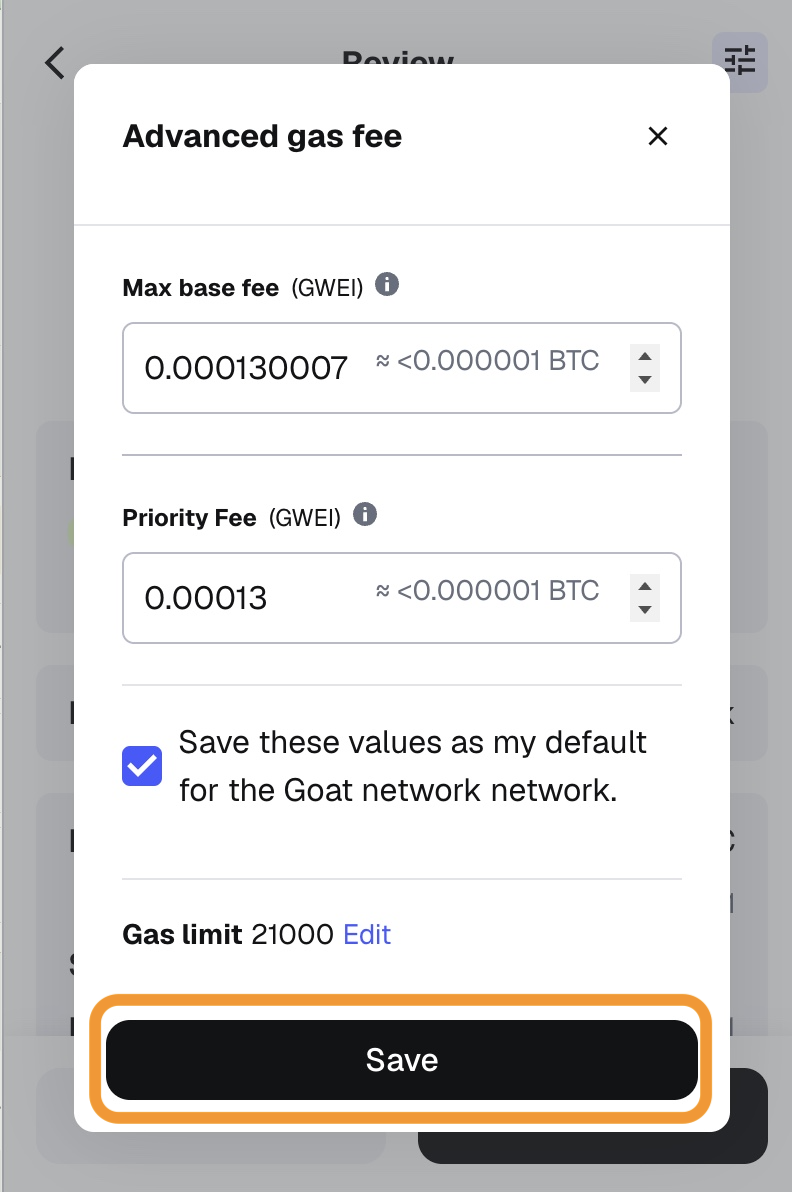
See MetaMask's Customize Gas Settings guide for wallet-specific details.
Understand Fee Calculation
GOAT Network uses EIP-1559. The total fee formula is:
Example: ERC-20 transfer
| Scenario | Formula | Result |
|---|---|---|
| Estimated maximum fee | 21,000 × (0.000130007 + 0.00013) | 5.460147 Gwei = 0.000000005460147 BTC |
| Typical low-congestion fee | 21,000 × (0.000000007 + 0.00013) | 2.730147 Gwei = 0.000000002730147 BTC |
The actual cost depends on live network conditions. Always review the final numbers in your wallet before signing.